What Is an Aspect Ratio?
An aspect ratio is the proportional relationship between an object’s width and its height. It doesn't tell you the size of the image or screen, but rather its shape.
You’ll typically see this written as W:H (Width:Height). However, it can also be expressed as N:1, where the width is divided by the height. For example, the standard 16:9 ratio is often technically referred to as 1.78:1.
While pixels are the primary unit of measurement for digital content, aspect ratios apply to any unit of measurement—feet, meters, or LED tiles. Aspect ratios are commonly used to create content for different devices will avoiding black bars on the sides or top of the screen. You’ll often see aspect ratios used for digital screens, photography, or social media images and videos.
Real-World Aspect Ratio Examples
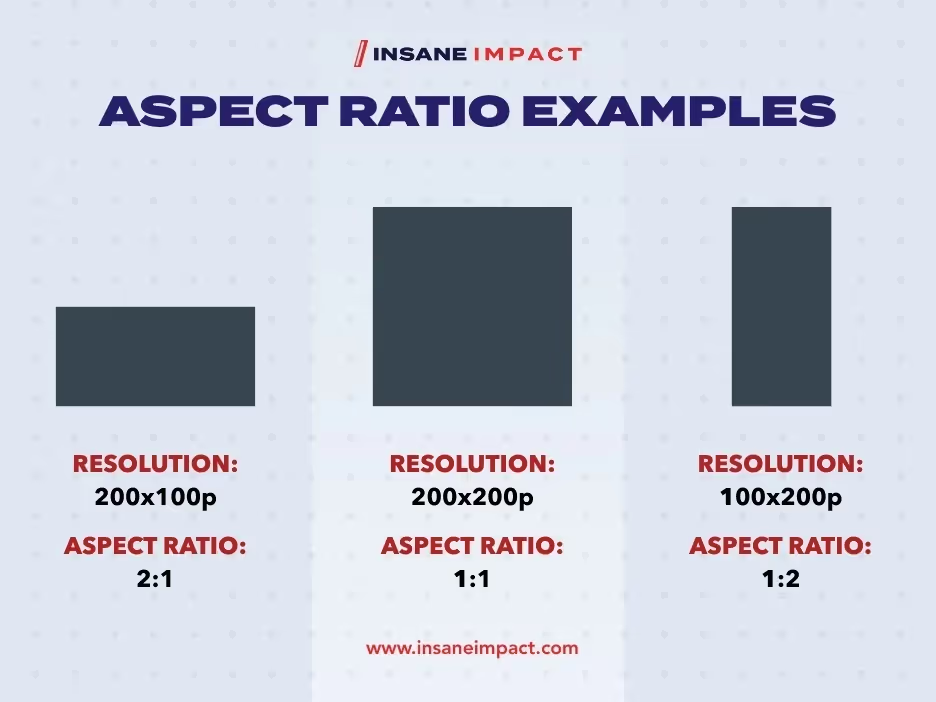
Understanding the numbers is easier when you can visualize them. Here's a breakdown of the ratios you will encounter most often in the field.
Landscape Ratios (Wide)
- 16:9 (1.78:1): This is the gold standard for high-definition video. If you are watching a modern TV, monitor, or using a portable device, you are likely looking at a 16:9 ratio. Common resolutions include 1920×1080 (Full HD) and 3840×2160 (4K UHD).
- 2:1: A step wider than standard. This indicates two units of width for every one unit of height (e.g., 20 LED panels wide by 10 panels high).
- 21:9 (2.33:1): Often seen in "ultrawide" panoramic monitors for gaming or multitasking. It closely mimics the anamorphic cinema standard (2.39:1) used in major motion pictures.
Portrait Ratios (Tall)
- 9:16: The inverse of the standard TV screen. This is the vertical format used for mobile content and tall digital signage.
- 1:2: A height that is exactly double the width.
- Pillars: Ultra-tall ratios often used in architectural LED displays.
Square Ratios
- 1:1: Width equals height. You see this constantly on social media profile icons and Instagram feeds.
Legacy Ratios
- 4:3: The standard for television until the early 2000s. If you put 4:3 footage on a modern 16:9 screen, you’ll see black bars on the sides (pillarboxing).
- 3:2: The classic photography ratio popularized by 35mm film.
1.85:1 AND 2.39:1
Common aspect ratios
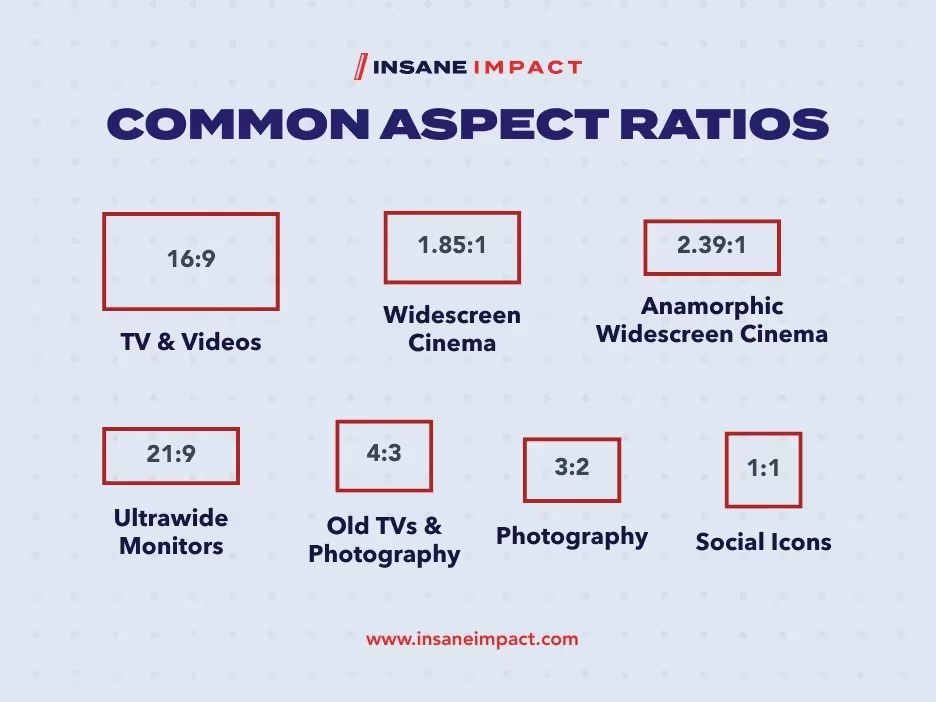
Here are the most common real world aspect ratios and their applications.
16:9

16:9 ratios (1.78:1) are the most commonly seen and used aspect ratio. They are today’s standard ratio for TV’s, monitors and portable devices. Most video is shot in a 16:9 resolution or close variation.
Common 16:9 resolutions
- 1024×576
- 1152×648
- 1280×720 (HD)
- 1366×768
- 1600×900
- 1920×1080 (full HD)
- 2560×1440
- 3840×2160 (4K UHD)
- 7,680 x 4,320 (8K UHD)

1.85:1 (37:20) and 2.39:1 (239:100) are the 2 most commonly used aspect ratios for movies. 1.85:1 is sometimes called widescreen and 2.39:1 is called anamorphic widescreen. These 2 ratios are wider than the 16:9 ratio, allowing videographers to capture a wider horizontal frame.
If you have ever noticed black horizontal bars on the screen when watching a movie at home, that is because your TV is 16:9 and your film is a wider aspect ratio.

21:9

Source
21:9 aspect ratios are the common ratio used for ultrawide or panoramic monitors, and it is very close in ratio to the anamorphic wide screen ratio (2.39:1) used in cinema.
The exact aspect ratio of these monitors actually tends to be 64:27 (2.37:1), but they are advertised as 21:9 (2.33:1), likely for consistency with the well-known 16:9 ratio.
The panoramic ultrawide screen monitor allows for a seamless wide field of vision, great for multitasking and gaming.
Common ultrawide monitor resolutions are 2560×1080 and 3440×1440.
4:3

4:3, or 1.33:1 was the standard for video up until the late 90s/early 2000s before being replaced by 16:9. The most common 4:3 resolution on older TV’s was 640×480.If you watch an old film on a new display screen, it will likely look like this:

source
The display of 4:3 footage onto a 16:9 display screen results in black vertical boxes on either side. This effect is also referred to as pillarboxing or reverse letterboxing. While the 4:3 aspect ratio has become virtually obsolete with video, it is still a common aspect ratio today for cameras and photography.
3:2

Odds are that most of your photos are in the 3:2 ratio. Popularized by 35mm film, it is the most common aspect ratio in photography today.
1:1

While video and image aspect ratios vary greatly across social media platforms, the 1:1 square aspect ratio is a very common one. It is also the most common ratio for icon and profile images.

These ratios also tend to change. To stay up-to-date on the latest social media aspect ratios, check out these useful links from Sprout Social:
How Do I Calculate Aspect Ratio?
Now that you have been introduced to aspect ratio, you may be wondering what an aspect ratio is. Let's dive in! Don't have our calculator handy? No problem. Here is how you can do the math yourself.
Method 1: The W:H Formula
To get the classic W:H format, you need to find the Greatest Common Factor (GCF)—the highest number that divides evenly into both your width and height.
Formula
(Width ÷ GCF) : (Height ÷ GCF)
Example
You have a screen that is 640x480.
- The highest number that fits into both is 160.
- 640 ÷ 160 = 4
- 480 ÷ 160 = 3
- Result: 4:3
Method 2: The N:1 Formula
This method is straightforward division.
Formula
(Width ÷ Height) : 1
Example
You have a screen resolution of 1920x1080.
- 1920 ÷ 1080 = 1.78
- Result: 1.78:1
Why Are Aspect Ratios Important for LED Video Walls
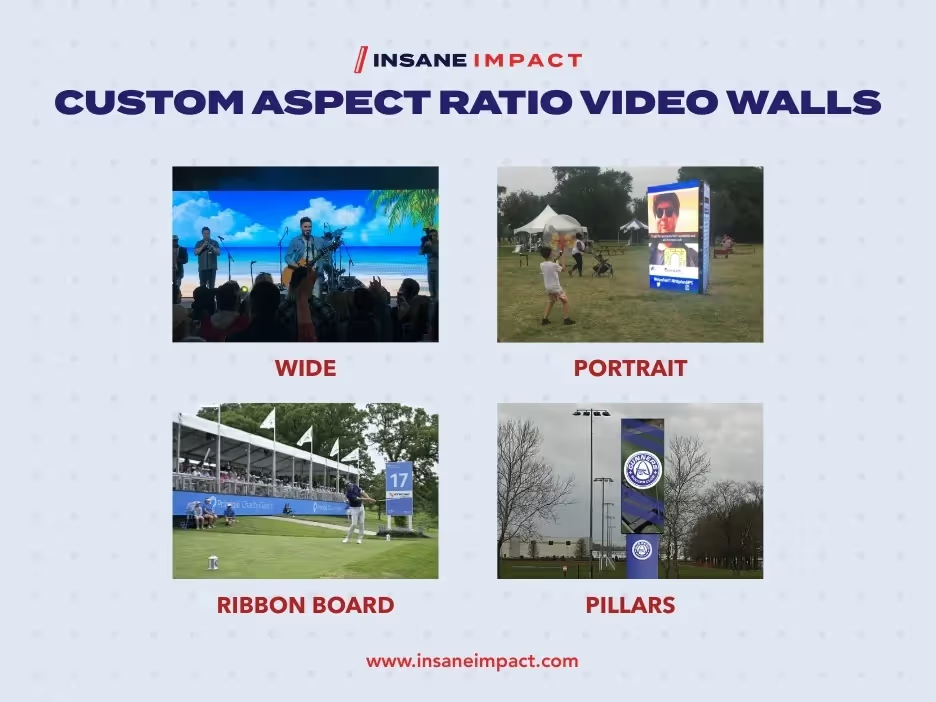
Most standard LED video walls are built into the commonly used 16:9 aspect ratio. However, part of the appeal of LED video walls is their ability to be built into custom aspect ratios. In fact, one of the massive advantages of LED technology is modularity. Because we build our walls using individual tiles, we can create custom aspect ratios to fit any stage, venue, or creative vision.
- Ribbon Boards: Ultra-wide panoramic displays.
- Pillars: Towering, vertical displays.
- Scattered/Custom: Unique configurations that defy standard ratios.
Conclusion
Whether you're sizing an image file or designing a massive stage backdrop, getting the aspect ratio right is critical for a professional look. When you’re ready to calculate, use our aspect ratio calculator to get the perfect dimensions, every time!
Ready to take your visuals to the next level? If you are looking to leverage high-performance LED video walls for your next event or installation, we have the expertise to make it happen! Reach out to a member of our team today to get started.